
What if you could hand AI the biggest project on your to-do list… & have it done in a fraction of the time?
If you’re like most business owners, you’ve got at least one project that keeps getting pushed to next week because it’s just too big to start.
Well, Anthropic just released a brand new AI model called Claude Fable 5.2 that’s built for exactly those kinds of projects!
They had 1,000 copies of this AI working together on one project – & in just 30 hours, it finished something that took their first attempt 11 days.
But here’s the crazy part…
Anthropic actually tells most people NOT to start with this new model!
So in today’s Marketing Minds Newsletter, I’m going to break down exactly what Fable 5.2 can do, when you should (& shouldn’t) use it in your business, plus 5 more AI updates you need to know about this week.
As a Reminder, Our Goal with this Newsletter is to Give You the Highest Level of Value Possible. That’s my Promise to you & I intend to Over-Deliver!
Here’s a Sneak Peek at What’s Inside This Email:
-
What Claude Fable 5.2 can actually do (& the one project you should hand it this week)
-
How to make 15-second AI videos with Google’s newest video model (including 3 free videos a month!)
-
How to turn your logo or product photo into an animated GIF inside ChatGPT
-
The ChatGPT Ads bidding change you need to know before January 1st
-
This week’s AppFind: how to turn a napkin sketch into a working app
-
& More!
Alright, let’s Dive In…
Watch the Full Video on YouTube:
Claude Fable 5.2: The AI Model for Your Biggest Projects
On Monday, November 9th, Anthropic announced two new models: Claude Fable 5.2 & Claude Mythos 5.2.
Now here’s something most people miss – these are actually the same model underneath!
Mythos is the version that goes to approved security & biomedical research teams. Fable is the version that you & I can use, because it has those safeguards built in – & you can use it with your regular paid Claude subscription.
So what can it actually do?
Anthropic took 1,000 copies of these Fable agents & pointed them at Fermat’s Last Theorem, one of the most famous problems in math (it stumped mathematicians for over 350 years!). They had them turn that entire proof into something a computer can check step by step.
The first time Anthropic did this, it took 11 days. This time? Just 30 hours – with very little help from a human!
And here’s what really stood out to me… Anthropic ran Opus 5.5 with the exact same 1,000-agent setup & it only finished about a quarter of the job in 18 hours.
But it’s not just math…
They gave Fable a single paragraph & asked it to design 3 working electronic devices from scratch. We’re talking the circuit boards, the cases, the software, everything!
It came back with:
-
A home voice assistant
-
A USB speakerphone
-
A little handheld virtual pet (which is pretty cool haha)
And Anthropic says all three of them actually worked!
^^ This means Fable 5.2 opens up a massive opportunity to create whole new things that simply weren’t possible before.
The Number I’d Pay Attention to If You Run a Business
There’s a benchmark called the Remote Labor Index, which measures how often AI can complete real freelance projects at a quality a paying client would actually accept.
-
Claude Opus 5.5 scored 21.3%
-
Claude Fable 5.2 scored 41.3%
That’s almost DOUBLE – in one single release!
So what does that mean for you?
If you have a team doing proposals, reports, research, spreadsheets, whatever it happens to be – this is the model for the big projects that take somebody days.
On their own page, Anthropic says it builds reports that could take a week of effort.
And when Box tested it, Fable flagged that the salary deposits & bank statement balances didn’t match. That’s exactly the type of thing a person might miss… but Claude caught it.
The Catch (& I Love That They Said It Out Loud)
Right in the launch post, Anthropic says that for most coding & knowledge tasks, you should actually start with Claude Opus 5.5. They call it their strongest daily driver.
Fable is the one you move into when a project gets too big for the everyday model.
And it’s not perfect. On one of the benchmarks in that same comparison table, Google’s Gemini 4 Carbon actually scores higher on accuracy.
Now, I use Claude literally every single day in my business & honestly, it’s been my most used AI tool – so I’ve been really excited about this one!
How to Try Claude Fable 5.2 Today
-
Open Claude & click the model picker
-
Choose Claude Fable 5.2 (it’s available on the paid plans)
-
Pick the strength (effort level) you want the model to use
Quick heads up if you’re on the Pro plan: for launch week, Fable is included for up to half of your weekly usage through November 16th. After that, it runs on usage credits – so this week is the perfect time to test it!
I’ve already given it a try myself & it came back with something really exciting.
My Fable 5.2 Game Plan for Your Business
Here’s exactly what I would do if I were you:
-
Keep using Opus 5.5 for your everyday stuff – your emails, your summaries, your quick drafts
-
Then take that ONE project you’ve been putting off because it’s too big (or because AI couldn’t do it before) & hand it to Fable 5.2
That could be the messy spreadsheet, the 40-page proposal, or analyzing all of the calls you’ve had to look for follow-ups (I’ve done this one & it’s really, really cool!).
Pro Tip: Not sure where to start? Ask Claude Fable 5.2 to look at all of your past tasks & tell you which hard-to-do tasks it should help you with!
My Verdict: USE IT – but use it for your hardest work & keep the everyday model for everything else.
This Edition of the Marketing Minds Newsletter is Sponsored by:
Analytics on Live Data Without Leaving Postgres

When analytics on Postgres slows down, most teams add a second database. Then come the pipelines, the sync jobs, and a copy of your data that’s always a little behind.
TimescaleDB takes a different approach: extend Postgres instead of splitting away from it. Hypertables partition your data automatically as volume grows. Hypercore compression cuts storage up to 95%. Continuous aggregates keep dashboards live without re-querying everything.
CERN runs Postgres this way for sensor data from the Large Hadron Collider.
No split architecture, no pipeline lag, no new query language to learn. Same SQL, same drivers, same tools.
Start on Tiger Cloud and get $1000 in credits.
Watch the Full Video on YouTube:
I walk through all of this on screen in my latest video, from the Fable 5.2 launch post to the model picker, plus every one of the AI updates below!
Watch the Full Claude Fable 5.2 Breakdown on YouTube! 🚀
Make 15-Second AI Videos with Google’s Newest Model
This next one is for anybody making AI videos!
Google just released a new video model called Gemini Omni 1.2 Flash, & it now lets you create AI videos up to 15 seconds long, up from 10 seconds before.
And here’s the crazy part… they also dropped the price by 30%!
For developers, it’s 7 cents a second. That means a full 15-second video costs just about a dollar.
Inside of Google Flow, you can choose any length from 3 seconds all the way up to 15. And you can keep editing the same clip just by talking to it:
-
Swap the product
-
Change the background
-
Change the lighting
…& it keeps your character & your brand colors consistent!
Pro Tip: If you don’t want to pay anything, Google also put this inside of Google Vids. With a regular Google account, you can make up to 3 of these 15-second videos every month at no cost.
As someone who creates a LOT of AI videos for my business, I’m so excited about this one, because 15 seconds is enough for a full hook on an ad.
And here’s what I’ve found: the animated styles (like claymation or stop motion) are converting better than the realistic ones!
My suggestion? Use your free videos to test a few different hooks. You know I always recommend split testing your hooks!
Now, it’s not perfect. Google says fast sports action & complex physics are still a work in progress.
My Verdict: USE IT. Make a 15-second video for your business this week. If you’ve got a Pro account, use Flow. If not, use Google Vids & grab your 3 free videos.
Turn Your Website into Image & Video Ads in Minutes
Once you start making AI videos, the next thing you need is a full ad!
I’ll admit I’m definitely biased on this one: AdsCreator.com is my own AI ad creation software (haha).
Here’s the problem it solves. To win with ads, you need a LOT of them to test… & most business owners don’t have a designer or video editor sitting around.
With AdsCreator, all you have to do is paste in your website. It reads your brand (your logo, colors, fonts, products & tone of voice) & then makes image & video ads for Meta, Google, YouTube & TikTok, in every size.
You can try it free for 7 days, which includes 1 motion graphic video & 16 image ads. No strings attached!
Try AdsCreator Free for 7 Days!
Turn Your Logo into an Animated GIF (Right Inside ChatGPT)
OpenAI just released ChatGPT Images 2.6, & it now lets you create animated GIFs directly inside of ChatGPT!
All you have to do is type a prompt or upload an image, & ChatGPT turns it into an animated GIF. Then you can adjust the speed & even the individual frames.
Think about what this means for your marketing…
You can take your product photo or your logo & turn it into a GIF for your emails, your website, your social posts, or even Slackmojis (which I’ll admit I’ve done a few times haha). No designer needed!
They also added saved reference images, so you can save a photo once & reuse it in new images without uploading it again.
And by the way, OpenAI says people are now making more than 4 BILLION images a week. Yes, billion!
The GIF feature is still rolling out, so if you don’t see it yet, check back in a few days.
My Verdict: USE IT, especially if you send emails or post on social. A GIF that moves is going to grab more attention than a still image!
Build Your Own Mini App Just by Describing It (Meta Muse)
Meta just added something called Spaces to their Muse app, & it allows you to build your own custom mini app just by describing what you want. You tell Muse your idea & it builds it for you!
A couple of examples Meta gives:
-
An order tracker for your small business (new orders, customer messages & what needs to ship today)
-
A client hub for freelancers (your projects, deadlines & invoices)
You can even connect the apps you already use, so your space stays up to date & works in the background.
Mark Zuckerberg said he used it to make a barbecue game (which is funny if you remember his Sweet Baby Ray’s moment, throwback haha), an event tracker & a home control dashboard.
Here’s the catch: right now, you can’t share a space with anybody else. Meta says they’re exploring it, but until you can share it with your team, it’s really a personal dashboard.
My Verdict: WATCH IT. It’s fun to try, but I wouldn’t build my business on it until sharing shows up.
ChatGPT Ads Just Changed How You Pay for Results
This one is about money, & it’s something you need to know if you’re running ChatGPT Ads or thinking about it.
As of Monday (November 9th), there are 2 new bidding options inside ChatGPT Ads Manager:
-
Target CPA: You tell ChatGPT the average amount you’d like to pay for a conversion (like a lead or a purchase), & the system adjusts your bids to try to hit that number
-
Target CPC: The same thing, but for clicks
Now here’s the part you can’t ignore…
The old options, Max Bid & Max CPC, are going away on January 1st. Any campaign that’s still using them is going to get moved over.
I’ve been running ChatGPT Ads since the beta came out, for my own software companies AdsCreator & ThumbnailCreator, as well as for clients at AdOutreach.
And I was an early adopter of YouTube Ads back in 2015, so I’ve seen firsthand the benefits of being early. You can do the exact same thing with ChatGPT Ads!
Your 3-Step Checklist Before You Switch ✅
AI ad platforms are only as good as the data you feed them (Garbage In = Garbage Out!). So before you switch:
-
Make sure your pixel & Conversions API are set up & sending the right event (this is OpenAI’s first recommendation)
-
Set your target based on what you’ve actually been paying. OpenAI warns that if your target is too low, your ads can stop delivering & your budget just doesn’t get spent
-
While you’re in there, check the creative enhancement setting. It lets ChatGPT write your headlines & even change your landing page link, & you might want that turned off
My Verdict: USE IT. Go ahead & switch a campaign over to Target CPA. And if you’re not running ChatGPT Ads yet, they’re giving a $500 match bonus for the first $500 you spend!
Want my team to set this up for you? We run ChatGPT Ads for clients at AdOutreach, & you can book a complimentary consult with our team here.
This Week’s AppFind: Turn a Napkin Sketch into a Working App
The AppFind is the one tool I think you should open this week, & this one is really cool!
Did you know Gemini can turn a drawing on a piece of paper into a working app?
Here’s how it works:
-
Sketch your app on paper (for example, a simple calculator for your business with a few boxes & a button)
-
Open Gemini & upload a photo of your sketch
-
Select the Canvas tool & ask it to code your app (you can use the exact prompt Google gives you)
-
Gemini reads your drawing, writes the code & creates a working app right there in the preview window
-
Ask it to change the colors, fonts or features & it updates in real time!
Think about it… you could sketch a quote calculator for your website, a lead tracker, or a simple tool for your team on a napkin & have a working version to test right away.
Now, this won’t get you all the way there, but it’ll get you about 80% of the way, & for a prototype, that’s pretty powerful. (Since it’s a prototype, keep customer data out of it.)
My Verdict: USE IT. Grab a piece of paper & give it a try today!
A Brand New Show on AppFind!
Fun fact: this video is part of a brand new show on AppFind, the YouTube channel I started back in 2009 when I was 12 years old, showing people the best iPod apps!
Now we’re bringing it full circle with the latest AI news & tech for your business every week. If you like it, subscribe to AppFind & let me know in the comments which update you’re going to try first!
If You Only Do One Thing This Week…
Take that big project you’ve been putting off & give it to Claude Fable 5.2!
This is the future, & it’s only going to get better & better. 🚀
I walk through every one of these updates in the full video:
Watch the Full Video on YouTube!
Watch The Full Video on YouTube:
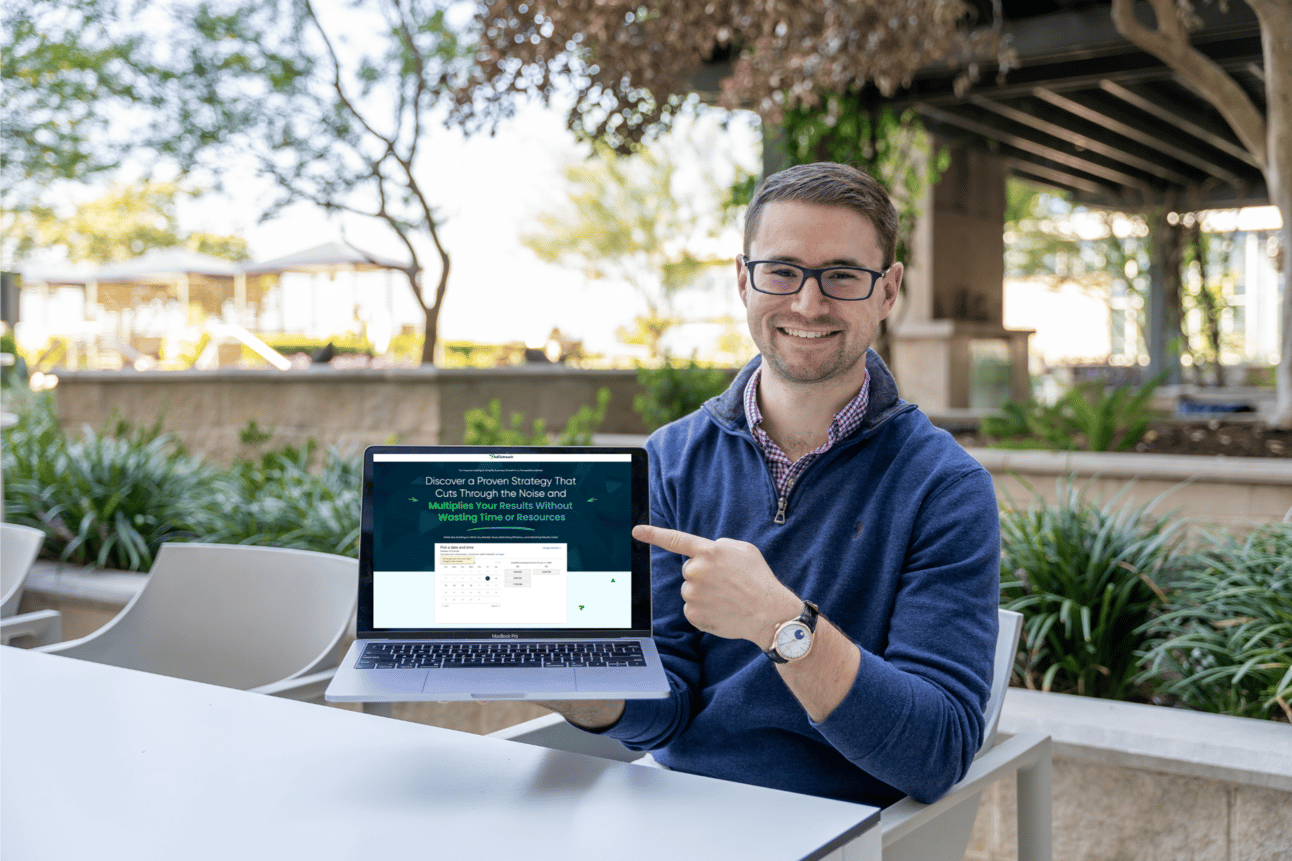
Complimentary Video Marketing Strategy Call!
Are you looking to Scale your Business with Video Marketing?
I want to invite you to a 1-1 Strategy call with my Team to map out a YouTube Ads & Video Marketing Strategy specifically for your Business!
This is a 45-minute call where we’ll dive into your Business, your Goals & map out a Custom Strategy to help you Achieve them through YouTube!
Fill out the Quick Booking form to Schedule your Strategy Call.
Book Your Complimentary Video Marketing Strategy Call Today!
More Value Coming Next Friday!
Stay Tuned for More Great Value & Content Coming your Way!
Here’s a Sneak Peak at What’s Coming Next:
-
More Free Trainings & Resources — In your Inbox!
-
Real Case Studies & Examples of the Marketing Funnels that Scaled Coaching Businesses past 7 & 8 Figures
-
The REAL on-the-ground insights into what’s going on in the Online Marketing & Coaching/Consulting/High-Ticket Industry (Based on our Insights working with Thousands of Clients)
-
The Latest YouTube Ad & Marketing Strategies as we Discover Them – So that you’re Always on the Cutting Edge
-
Guest Articles, Videos & Podcasts from the Top Marketing Minds of Today — Stay tuned for some exciting announcements around this 😉
-
And a LOT More…
I’m serious when I say I want this to be The Most Valuable Newsletter You’re Subscribed to — Look out for us in your Inbox Every Friday!
I’ll see you in the next one!
To Your Success,
– Aleric Heck | Founder & CEO of AdOutreach
P.S. If you’re on the Claude Pro plan, Fable 5.2 is included for up to half of your weekly usage through November 16th, so this is the week to test it on your biggest project. Watch the full video here to see exactly how!
This Edition of the Marketing Minds Newsletter is Sponsored by:
Stop Making Shoppers Spell It Out
“Running shos” shouldn’t return zero results. Neither should “red waterprof trail runners under $150.”
Traditional search needs exact keywords. Gladly understands what shoppers mean, typos and all, and turns dead-end searches into products that fit what they asked for.
See how Gladly reads between the typos