
What if you could create videos of yourself – sailing on a yacht, flying through space, or simply talking to the camera – without ever hitting record?
Well, that’s no longer a “what if”…
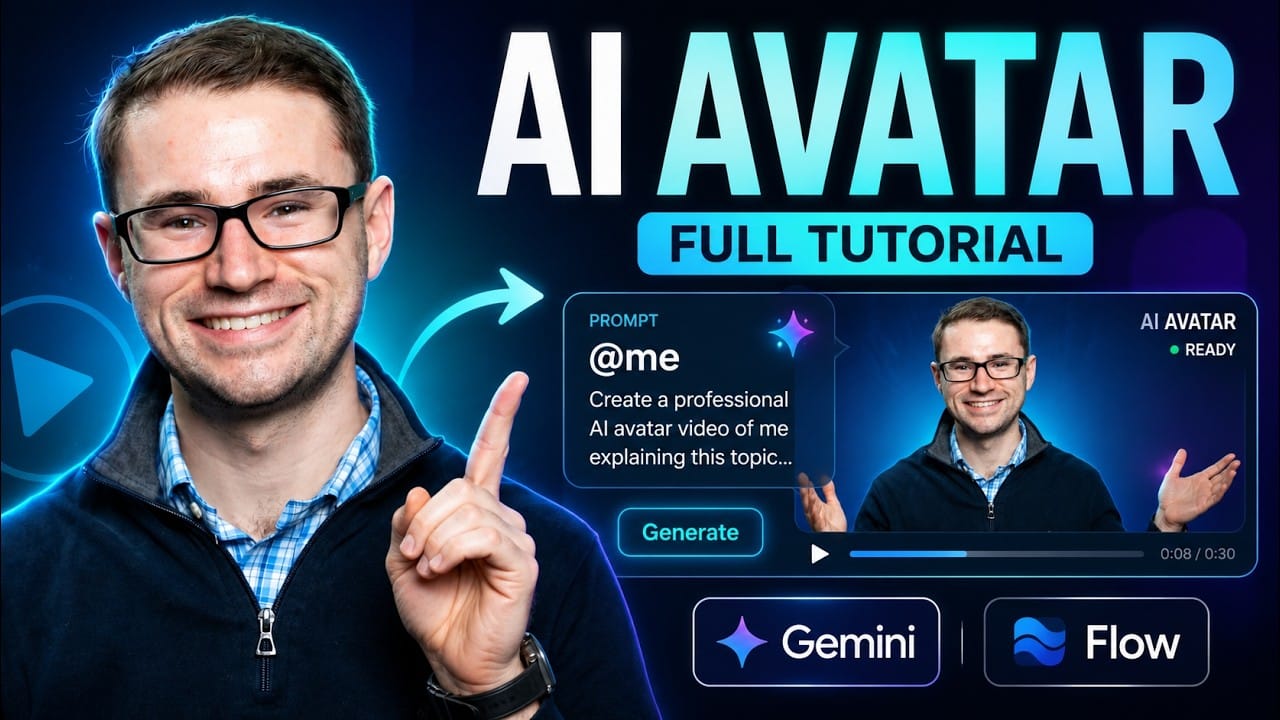
Google just rolled out a new AI Avatar feature that lets you create a digital version of YOURSELF & then cast that avatar directly into AI generated videos – all from a simple text prompt.
I’ve been testing this inside of Gemini & Google Flow this week and let me tell you – this is a Game-Changer for anyone creating video content!
And in today’s Newsletter, I’m going to walk you through exactly how it works & how you can use it in your business.
As a Reminder, Our Goal with this Newsletter is to Give You the Highest Level of Value Possible. That’s my Promise to you & I intend to Over-Deliver!
Here’s a Sneak Peek at What’s Inside This Email:
-
I’ll show you How to Create Your Own AI Avatar using Google’s new Likeness feature (it takes just a few minutes!)
-
I’ll walk you through How to Cast Your Avatar into AI Videos inside of Gemini & Google Flow
-
I’ll share How to Rapidly Create Multiple Video Variations using Google’s AI Video Agent
-
And I’ll give you the link to my Full Step-by-Step Video Tutorial so you can see it all in action!
Alright, let’s Dive In…
Watch the Full Video on YouTube:
How to Create Your Own AI Avatar with Google
Google has officially rolled out the ability to create an AI Avatar of yourself – and once you’ve created it, you can add yourself to ANY video or image just by typing @me or @yourname into your prompts.
Yes, it’s really that simple.
Here’s how to set it up:
Step 1: Go to gemini.google.com/likeness
This is where Google’s new Avatar feature lives. When you arrive, you’ll see the option to “Create Avatar”
Step 2: Scan the QR Code & Record a Quick Selfie Video
Google will show you a QR code – scan it with your phone & it will walk you through recording a simple selfie video of yourself.
That short video is all Google needs to build your AI Avatar – capturing your likeness AND your voice.
Step 3: Click “Use Avatar” & Start Creating!
Once your avatar is ready, you can start generating videos & images with yourself in them immediately.
Just type @me (or @yourname) into any prompt & Gemini will draw your likeness directly into the video.
For example, I created a video of myself looking at the camera saying “Creating AI videos with your avatar is as simple as typing a prompt” – and within minutes, there I was, on screen, saying it word for word.
It looked like me. It sounded like me. And I never touched a camera.
Taking It to the Next Level with Google Flow
Now, creating videos one at a time inside of Gemini is great – but if you want to create videos at scale, that’s where Google Flow comes in.
Google Flow is Google’s professional AI video production tool & it comes with an AI Video Agent that can rapidly create videos for you.
Here’s how to use your Avatar inside of Flow:
Step 1: Go to labs.google/fx/tools/flow & Create a New Project
As long as you’re signed into the same Google account, your Avatar automatically carries over into Flow. No extra setup needed!
Step 2: Type @me Into Your Prompt
Just like in Gemini, you can inject yourself into any video prompt by typing @me or @yourname.
Want a video of yourself sailing on a yacht while explaining your offer? Type it. Want to be flying on a spaceship holding a cute alien? You can do that too (I did, haha!)
Step 3: Dial In Your Settings
A few key settings to check before you hit go:
-
Make sure the Engine is turned ON – that’s what does the video work for you
-
Choose your format – 16:9 widescreen or vertical for mobile
-
Set it to create 4 variations – I always generate 4 versions at once so I can pick the best one
-
Keep the model on Omni Flash – this is important because it’s what incorporates your AI Avatar
Step 4: Click Go & Watch the Magic Happen
Flow will render all 4 variations automatically. And here’s the best part – you don’t even have to wait for them to finish before creating more!
Just click “Reuse Prompt,” change anything you want & generate 4 MORE variations while the first batch is still rendering.
This Edition of the Marketing Minds Newsletter is Sponsored by:
Your creator program stopped working. You’re the bottleneck.

It’s not a criticism. It’s just math.
One person can only recruit, vet, contract, manage, and pay so many creators before growth stalls.
partnrUP turns influencer marketing into a scalable creator engine. AI automates creator recruitment and campaign operations, helping brands activate more creators, generate more content, identify top performers faster, and create more opportunities to drive traffic and sales.
You focus on strategy.
The creator engine keeps running.
The Editing Superpowers Built Right In
This is where it gets really powerful for marketers & content creators…
Once your videos are generated, you can:
-
Describe Edits in Plain English – I typed “have me wearing a green sweater instead” & Flow automatically created a new version with me in a green sweater. No re-shooting. No editing software. Just a sentence.
-
Trim & Extend Clips – Cut out what you don’t need or extend the video further
-
Stitch Videos Together – Right now videos are limited to 10 seconds each, but you can easily stitch multiple clips together using Flow’s built-in editor to create longer videos
Think about what this means for your marketing…
You could create ad creative variations, social media content, video hooks & more – all featuring YOU – in a fraction of the time it would take to film them yourself.
Now, is it perfect yet? Not quite. But here’s what I’ve learned watching AI video evolve – it only gets better from here.
I remember saying the same thing when VEO 3 first came out & look how far it’s come. The people who learn these tools NOW are the ones who will have the edge when they become mainstream.
Watch the Full Step-by-Step Tutorial 🎥
Now, reading about this is one thing – but SEEING it in action is another!
That’s why I filmed a full video tutorial walking you through the entire process step-by-step – creating your avatar, using it in Gemini, setting up Google Flow, generating multiple variations & making edits with simple prompts.
You’ll even get to see my AI Avatar sailing on a yacht & flying on a spaceship (with the alien, of course, haha!)
Watch the Full AI Avatar Tutorial on YouTube!
Trust me – once you see how easy this is, you’re going to want to create your own avatar today.
Watch The Full Video on YouTube:
Complimentary Video Marketing Strategy Call!
Are you looking to Scale your Business with Video Marketing?
I want to invite you to a 1-1 Strategy call with my Team to map out a YouTube Ads & Video Marketing Strategy specifically for your Business!
This is a 45-minute call where we’ll dive into your Business, your Goals & map out a Custom Strategy to help you Achieve them through YouTube!
Fill out the Quick Booking form to Schedule your Strategy Call.
Book Your Complimentary Video Marketing Strategy Call Today!
More Value Headed Your Way!
I hope you found today’s Newsletter valuable & I’m excited to see how you use your own AI Avatars in your business!
If you create one, hit reply & let me know how it turns out – I’d love to hear about it! 😁
Stay Tuned for More Great Value & Content Coming your Way!
Here’s a Sneak Peak at What’s Coming Next:
-
More Free Trainings & Resources – In your Inbox!
-
The Latest AI Tools & Software that we’re using inside our Companies to 10X Productivity (I keep my finger on the pulse of AI – so you don’t have to!)
-
The Latest YouTube Ad & Marketing Strategies as we Discover Them – So that you’re Always on the Cutting Edge
-
Real Case Studies & Examples of the Marketing Funnels that Scaled Businesses past 7 & 8 Figures
-
And a LOT More…
I’m serious when I say I want this to be The Most Valuable Newsletter You’re Subscribed to — Look out for us in your Inbox Every Friday!
I’ll see you in the next one!
To Your Success,
– Aleric Heck | Founder & CEO of AdOutreach
This Edition of the Marketing Minds Newsletter is Sponsored by:
Your competitor’s growth lead already saw the spend spike.

While your team is still in standup, the other growth lead already got the alert. Viktor is an AI employee that lives in Slack. It watches your Meta and TikTok spend overnight, flags the underperformer by 7am, and drafts the new brief before your first meeting.